New toy: Installing Fedora Linux on the HP Z2 Mini
The data sheet of my new AI-focused mini workstation from HP does not mention Fedora, but I could install it just fine. I expected this though, because when I asked around about Linux support and hardware AI acceleration for AMD Ryzen 39X chips, all responses came from Fedora users… :-)
Installing Fedora on the HP Z2 Mini was a smooth experience, even though I hadn’t used the graphical installer for ages. I installed the Fedora server variant during Covid, and I’m upgrading it ever since. Still, using the graphical installer was easy, so Fedora was up and running in no time.
Rebooting Fedora is not always fun, though. This box has two SSDs in it. In most cases, booting is OK, but sometimes the numbering of SSDs seems to be reversed. When this happens, booting gets stuck in an infinite loop, but a simple reboot solves the problem.
I guess I’m getting older, but I appreciate that GNOME looks exactly the same as on any other Linux distro, except Ubuntu. Everything in GNOME works from muscle memory, just as in most applications. Of course, under the hood, Linux distros are different: they have different package managers, repositories, backgrounds and application defaults. However, for a simple user, there is no need to learn the desktop from scratch, just because their friend installed another Linux distro for them…
Also, while I’m not a gamer, when I saw during installation that Steam was available, I gave it a try as well. It worked flawlessly. I do not follow the current Windows situation, but when I installed Need for Speed a few years ago, I had to go through many steps and install the game twice due to a failed attempt to make it work. Today, installing and starting NFS was a simple next-next-finish experience, so I could start the latest reincarnation of my favorite childhood game without any problems.
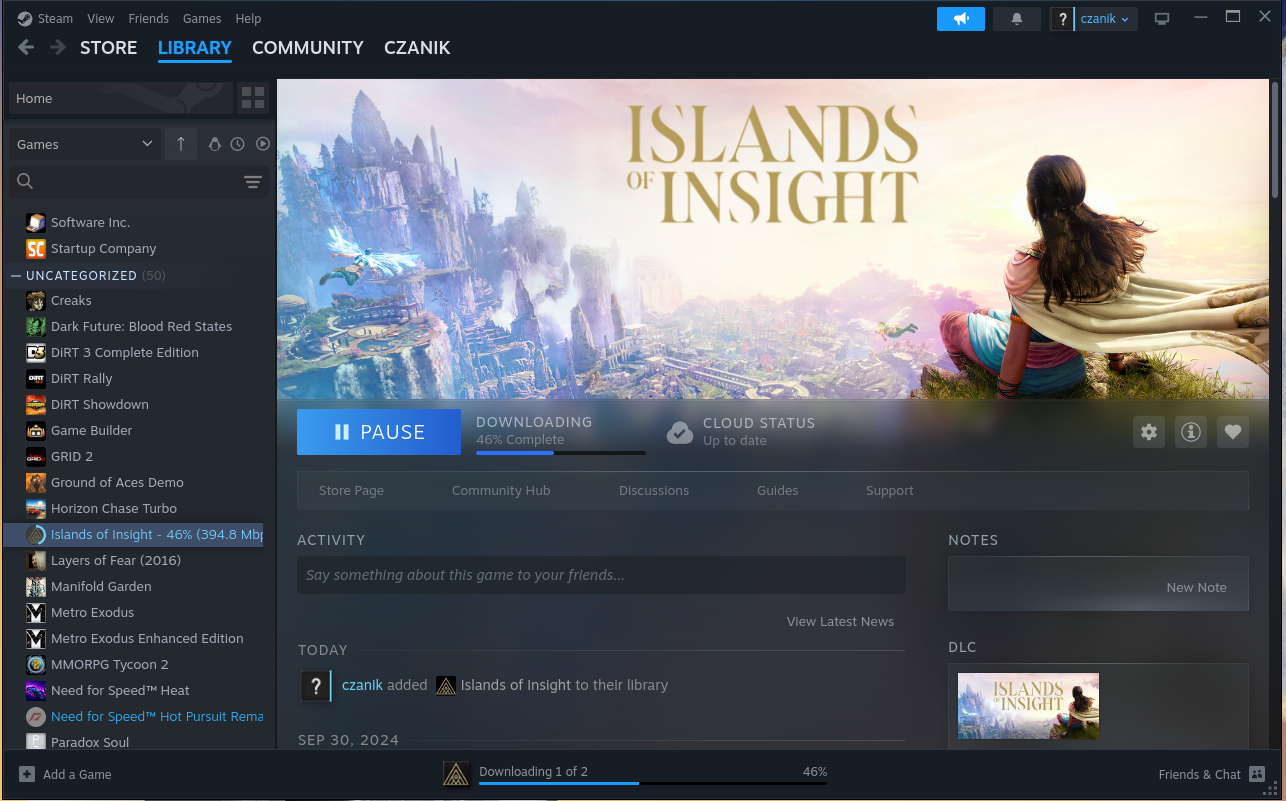
Steam on Fedora :-)

Need for Speed
I did a few steps to configure accelerated AI on the machine. I installed a few extra packages from Copr and they found something, after I worked around a couple minor problems:
root@fedora:~# /usr/xrt/bin/xrt-smi examine
System Configuration
  OS Name              : Linux
  Release              : 6.18.13-200.fc43.x86_64
  Machine              : x86_64
  CPU Cores            : 32
  Memory               : 96311 MB
  Distribution         : Fedora Linux 43 (Workstation Edition)
  GLIBC                : 2.42
  Model                : HP Z2 Mini G1a Workstation Desktop PC
  BIOS Vendor          : HP
  BIOS Version         : X53 Ver. 01.05.02

XRT
  Version              : 2.19.0
  Branch               :
  Hash                 :
  Hash Date            : 2025-04-25 00:00:00
  virtio-pci           : unknown, unknown
  amdxdna              : unknown, unknown
  NPU Firmware Version : 1.0.0.166

Device(s) Present
|BDF             |Name          |
|----------------|--------------|
|[0000:c6:00.1]  |RyzenAI-npu5  |
More in-depth AI testing will follow later, once I also installed FreeBSD on the box.
This blog is part of a longer series about my adventures with my new HP Z2 Mini and AI. You can reach me to discuss this blog on one of the contacts listed in the upper right corner. You can read the rest of the blogs under the toy tag.