My new toy: first steps with AI on Linux
Ever since I bought my AI mini workstation from HP, my goal was to run hardware accelerated artificial intelligence workloads in a Linux environment. Read more to learn how things turned out on Ubuntu and Fedora!
I have been using various AI tools for a while now. Generating pictures about some impossible situations, like a dinosaur climbing the Hungarian parliament building, finding information where a simple web search is useless, or explaining syslog-ng code to me. All these are nice, sometimes even useful, however I prefer to know what is behind the magic. Well, at least part of it :-) I want to get a bottom up view of various components and processes, and getting my hands dirty. Hopefully this miniature but powerful box will help me in getting known with AI better.
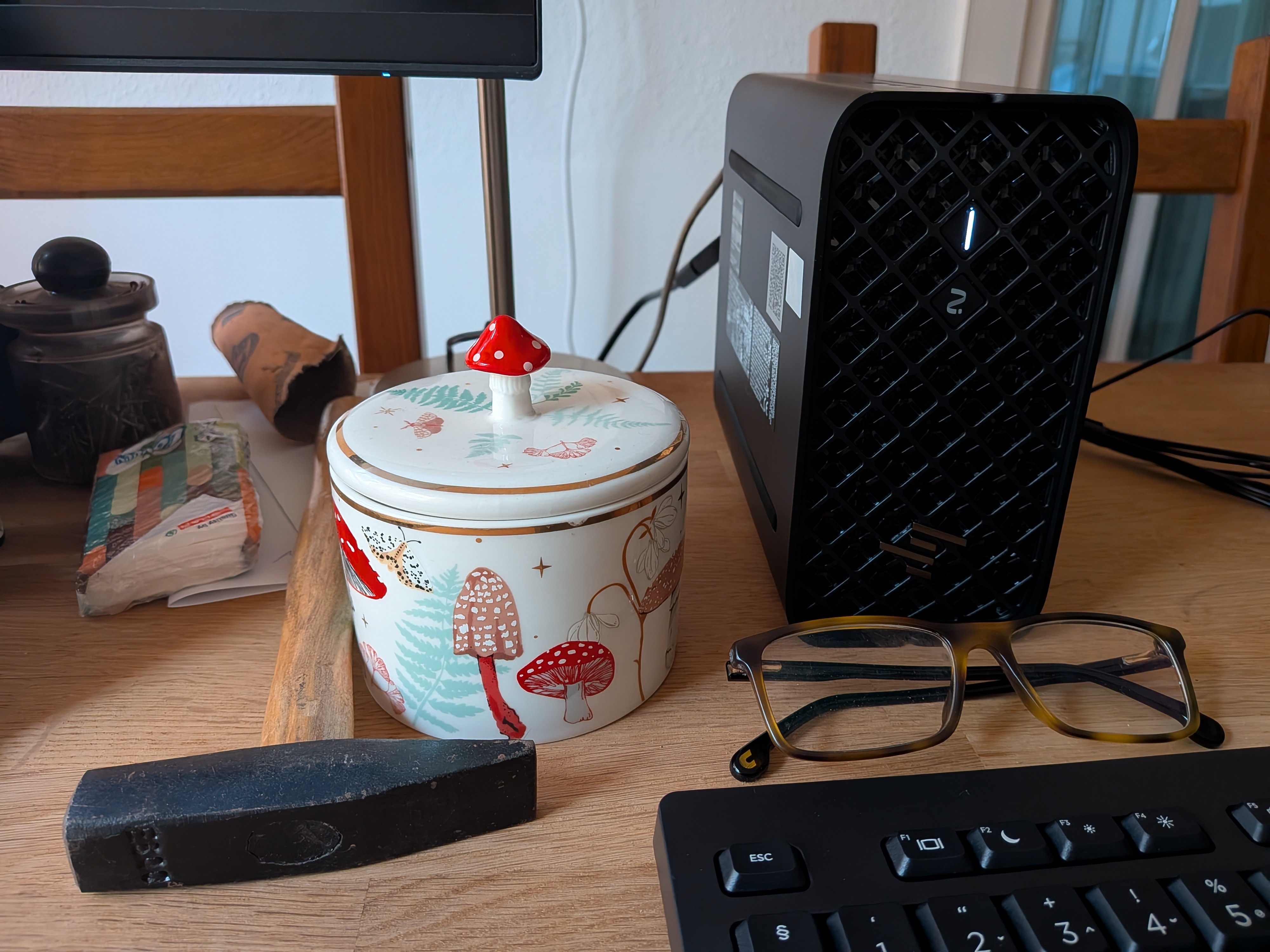
AI in a miniature box :-)
Testing AI on Ubuntu
As mentioned in my installing Ubuntu blog, the 24.04 LTS installer did not work on this machine. I found a nice tutorial about AI on the Ryzen AI Max+ 395 which mentioned using 25.10, so I installed that version instead of the LTS. It installed without any troubles, 3D graphics worked out of the box.
However, AI is a different story. ROCm, hardware acceleration for AI workloads on AMD chips, is only packaged for Ubuntu LTS releases. The workaround described in the tutorial was to use distrobox. Unfortunately, the steps described in the tutorial did not work. Containerization brought in various problems with permissions, software availability, and so on. Most likely an experienced distrobox user could resolve these. In my case, after reading the distrobox documentation for hours, I just gave up.
Getting started with hardware accelerated AI on Fedora
Next, I turned to Fedora Linux 43. The wiki page of the Fedora Heterogeneous Computing Special Interest Group proved to be a good starting point. Fedora has ROCm packaged as part of the distro, and the wiki page gives clear instructions how to get started.
Once I set up user rights and installed the necessary packages, I was able to get some info about my hardware. You can see the output of rocminfo and rocm-clinfo at the bottom of this blog. I did not want to shorten those, but given the many lines of output, I was not sure if anyone would read the rest of my blog :-)
Testing with llama
Of course, seeing info about the hardware is nice, but it’s even better to see it in action. The Ubuntu ROCm tutorial mentioned llama, so I started with that one. Luckily Fedora includes it as a ready to install package, so I did not have to compile it from source. I also installed huggingface-hub, also from a package:
dnf install python3-huggingface-hub llama-cpp
This allowed me to download the model mentioned in the tutorial, and ask a few questions from the downloaded LLM. For now I just used the sample command line, but based on the output llama found the hardware and used it. Next up: learn more about the available models.
You can find the output of the following command at the end of this blog:
llama-cli -m ~/models/llama-2-7b.Q4_K_M.gguf --no-mmap -ngl 99 -p "Explain quantum computing in simple terms:" -n 256
Testing with pytorch
When I mentioned a friend that hardware accelerated AI seems to work on my Linux box, he suggested to me to try it with PyTorch. Luckily this was available as a ready to install package for Fedora as well:
dnf install python3-torch
I was quite a bit surprised, as the above command installed 8 GB worth of RPM packages (texlive accounting for a good part of it). I do not know much about PyTorch, but did a quick test anyway. Here is the really complex Pyhon code I built based on the documentation:
import torch
x = torch.rand(5, 3)
print(x)
print('Is hw AI accel available')
print(torch.cuda.is_available())
And here is the output from the above code:
tensor([[0.1034, 0.0183, 0.1233],
        [0.1787, 0.0097, 0.8426],
        [0.2872, 0.6351, 0.8468],
        [0.8226, 0.2991, 0.8539],
        [0.2061, 0.6422, 0.8146]])
Is hw AI accel available
True
It’s simple, but looks promising :-)
Outputs
Ooutput of rocminfo and rocm-clinfo
czanik@fedora:~$ rocminfo
ROCk module is loaded
=====================
HSA System Attributes
=====================
Runtime Version:         1.1
Runtime Ext Version:     1.7
System Timestamp Freq.:  1000.000000MHz
Sig. Max Wait Duration:  18446744073709551615 (0xFFFFFFFFFFFFFFFF) (timestamp count)
Machine Model:           LARGE
System Endianness:       LITTLE
Mwaitx:                  DISABLED
XNACK enabled:           NO
DMAbuf Support:          YES
VMM Support:             YES

==========
HSA Agents
==========
*******
Agent 1
*******
  Name:                    AMD RYZEN AI MAX+ PRO 395 w/ Radeon 8060S
  Uuid:                    CPU-XX
  Marketing Name:          AMD RYZEN AI MAX+ PRO 395 w/ Radeon 8060S
  Vendor Name:             CPU
  Feature:                 None specified
  Profile:                 FULL_PROFILE
  Float Round Mode:        NEAR
  Max Queue Number:        0(0x0)
  Queue Min Size:          0(0x0)
  Queue Max Size:          0(0x0)
  Queue Type:              MULTI
  Node:                    0
  Device Type:             CPU
  Cache Info:
    L1:                      49152(0xc000) KB
  Chip ID:                 0(0x0)
  ASIC Revision:           0(0x0)
  Cacheline Size:          64(0x40)
  Max Clock Freq. (MHz):   5187
  BDFID:                   0
  Internal Node ID:        0
  Compute Unit:            32
  SIMDs per CU:            0
  Shader Engines:          0
  Shader Arrs. per Eng.:   0
  WatchPts on Addr. Ranges:1
  Memory Properties:
  Features:                None
  Pool Info:
    Pool 1
      Segment:                 GLOBAL; FLAGS: FINE GRAINED
      Size:                    131136832(0x7d0fd40) KB
      Allocatable:             TRUE
      Alloc Granule:           4KB
      Alloc Recommended Granule:4KB
      Alloc Alignment:         4KB
      Accessible by all:       TRUE
    Pool 2
      Segment:                 GLOBAL; FLAGS: EXTENDED FINE GRAINED
      Size:                    131136832(0x7d0fd40) KB
      Allocatable:             TRUE
      Alloc Granule:           4KB
      Alloc Recommended Granule:4KB
      Alloc Alignment:         4KB
      Accessible by all:       TRUE
    Pool 3
      Segment:                 GLOBAL; FLAGS: KERNARG, FINE GRAINED
      Size:                    131136832(0x7d0fd40) KB
      Allocatable:             TRUE
      Alloc Granule:           4KB
      Alloc Recommended Granule:4KB
      Alloc Alignment:         4KB
      Accessible by all:       TRUE
    Pool 4
      Segment:                 GLOBAL; FLAGS: COARSE GRAINED
      Size:                    131136832(0x7d0fd40) KB
      Allocatable:             TRUE
      Alloc Granule:           4KB
      Alloc Recommended Granule:4KB
      Alloc Alignment:         4KB
      Accessible by all:       TRUE
  ISA Info:
*******
Agent 2
*******
  Name:                    gfx1151
  Uuid:                    GPU-XX
  Marketing Name:          Radeon 8060S Graphics
  Vendor Name:             AMD
  Feature:                 KERNEL_DISPATCH
  Profile:                 BASE_PROFILE
  Float Round Mode:        NEAR
  Max Queue Number:        128(0x80)
  Queue Min Size:          64(0x40)
  Queue Max Size:          131072(0x20000)
  Queue Type:              MULTI
  Node:                    1
  Device Type:             GPU
  Cache Info:
    L1:                      32(0x20) KB
    L2:                      2048(0x800) KB
    L3:                      32768(0x8000) KB
  Chip ID:                 5510(0x1586)
  ASIC Revision:           0(0x0)
  Cacheline Size:          128(0x80)
  Max Clock Freq. (MHz):   2900
  BDFID:                   50432
  Internal Node ID:        1
  Compute Unit:            40
  SIMDs per CU:            2
  Shader Engines:          2
  Shader Arrs. per Eng.:   2
  WatchPts on Addr. Ranges:4
  Coherent Host Access:    FALSE
  Memory Properties:       APU
  Features:                KERNEL_DISPATCH
  Fast F16 Operation:      TRUE
  Wavefront Size:          32(0x20)
  Workgroup Max Size:      1024(0x400)
  Workgroup Max Size per Dimension:
    x                        1024(0x400)
    y                        1024(0x400)
    z                        1024(0x400)
  Max Waves Per CU:        32(0x20)
  Max Work-item Per CU:    1024(0x400)
  Grid Max Size:           4294967295(0xffffffff)
  Grid Max Size per Dimension:
    x                        4294967295(0xffffffff)
    y                        4294967295(0xffffffff)
    z                        4294967295(0xffffffff)
  Max fbarriers/Workgrp:   32
  Packet Processor uCode:: 34
  SDMA engine uCode::      18
  IOMMU Support::          None
  Pool Info:
    Pool 1
      Segment:                 GLOBAL; FLAGS: COARSE GRAINED
      Size:                    65568416(0x3e87ea0) KB
      Allocatable:             TRUE
      Alloc Granule:           4KB
      Alloc Recommended Granule:2048KB
      Alloc Alignment:         4KB
      Accessible by all:       FALSE
    Pool 2
      Segment:                 GLOBAL; FLAGS: EXTENDED FINE GRAINED
      Size:                    65568416(0x3e87ea0) KB
      Allocatable:             TRUE
      Alloc Granule:           4KB
      Alloc Recommended Granule:2048KB
      Alloc Alignment:         4KB
      Accessible by all:       FALSE
    Pool 3
      Segment:                 GROUP
      Size:                    64(0x40) KB
      Allocatable:             FALSE
      Alloc Granule:           0KB
      Alloc Recommended Granule:0KB
      Alloc Alignment:         0KB
      Accessible by all:       FALSE
  ISA Info:
    ISA 1
      Name:                    amdgcn-amd-amdhsa--gfx1151
      Machine Models:          HSA_MACHINE_MODEL_LARGE
      Profiles:                HSA_PROFILE_BASE
      Default Rounding Mode:   NEAR
      Default Rounding Mode:   NEAR
      Fast f16:                TRUE
      Workgroup Max Size:      1024(0x400)
      Workgroup Max Size per Dimension:
        x                        1024(0x400)
        y                        1024(0x400)
        z                        1024(0x400)
      Grid Max Size:           4294967295(0xffffffff)
      Grid Max Size per Dimension:
        x                        4294967295(0xffffffff)
        y                        4294967295(0xffffffff)
        z                        4294967295(0xffffffff)
      FBarrier Max Size:       32
    ISA 2
      Name:                    amdgcn-amd-amdhsa--gfx11-generic
      Machine Models:          HSA_MACHINE_MODEL_LARGE
      Profiles:                HSA_PROFILE_BASE
      Default Rounding Mode:   NEAR
      Default Rounding Mode:   NEAR
      Fast f16:                TRUE
      Workgroup Max Size:      1024(0x400)
      Workgroup Max Size per Dimension:
        x                        1024(0x400)
        y                        1024(0x400)
        z                        1024(0x400)
      Grid Max Size:           4294967295(0xffffffff)
      Grid Max Size per Dimension:
        x                        4294967295(0xffffffff)
        y                        4294967295(0xffffffff)
        z                        4294967295(0xffffffff)
      FBarrier Max Size:       32
*******
Agent 3
*******
  Name:                    aie2
  Uuid:                    AIE-XX
  Marketing Name:          AIE-ML
  Vendor Name:             AMD
  Feature:                 AGENT_DISPATCH
  Profile:                 BASE_PROFILE
  Float Round Mode:        NEAR
  Max Queue Number:        1(0x1)
  Queue Min Size:          64(0x40)
  Queue Max Size:          64(0x40)
  Queue Type:              SINGLE
  Node:                    0
  Device Type:             DSP
  Cache Info:
    L2:                      2048(0x800) KB
    L3:                      32768(0x8000) KB
  Chip ID:                 0(0x0)
  ASIC Revision:           0(0x0)
  Cacheline Size:          0(0x0)
  Max Clock Freq. (MHz):   0
  BDFID:                   0
  Internal Node ID:        0
  Compute Unit:            0
  SIMDs per CU:            0
  Shader Engines:          0
  Shader Arrs. per Eng.:   0
  WatchPts on Addr. Ranges:0
  Memory Properties:
  Features:                AGENT_DISPATCH
  Pool Info:
    Pool 1
      Segment:                 GLOBAL; FLAGS: KERNARG, COARSE GRAINED
      Size:                    131136832(0x7d0fd40) KB
      Allocatable:             TRUE
      Alloc Granule:           4KB
      Alloc Recommended Granule:4KB
      Alloc Alignment:         4KB
      Accessible by all:       TRUE
    Pool 2
      Segment:                 GLOBAL; FLAGS: COARSE GRAINED
      Size:                    65536(0x10000) KB
      Allocatable:             TRUE
      Alloc Granule:           4KB
      Alloc Recommended Granule:0KB
      Alloc Alignment:         4KB
      Accessible by all:       TRUE
    Pool 3
      Segment:                 GLOBAL; FLAGS: COARSE GRAINED
      Size:                    131136832(0x7d0fd40) KB
      Allocatable:             TRUE
      Alloc Granule:           4KB
      Alloc Recommended Granule:4KB
      Alloc Alignment:         4KB
      Accessible by all:       TRUE
  ISA Info:
*** Done ***
and
czanik@fedora:~$ rocm-clinfo
Number of platforms:				 1
  Platform Profile:				 FULL_PROFILE
  Platform Version:				 OpenCL 2.1 AMD-APP (3649.0)
  Platform Name:				 AMD Accelerated Parallel Processing
  Platform Vendor:				 Advanced Micro Devices, Inc.
  Platform Extensions:				 cl_khr_icd cl_amd_event_callback


  Platform Name:				 AMD Accelerated Parallel Processing
Number of devices:				 1
  Device Type:					 CL_DEVICE_TYPE_GPU
  Vendor ID:					 1002h
  Board name:					 Radeon 8060S Graphics
  Device Topology:				 PCI[ B#197, D#0, F#0 ]
  Max compute units:				 20
  Max work items dimensions:			 3
    Max work items[0]:				 1024
    Max work items[1]:				 1024
    Max work items[2]:				 1024
  Max work group size:				 256
  Preferred vector width char:			 4
  Preferred vector width short:			 2
  Preferred vector width int:			 1
  Preferred vector width long:			 1
  Preferred vector width float:			 1
  Preferred vector width double:		 1
  Native vector width char:			 4
  Native vector width short:			 2
  Native vector width int:			 1
  Native vector width long:			 1
  Native vector width float:			 1
  Native vector width double:			 1
  Max clock frequency:				 2900Mhz
  Address bits:					 64
  Max memory allocation:			 57070749280
  Image support:				 Yes
  Max number of images read arguments:		 128
  Max number of images write arguments:		 8
  Max image 2D width:				 16384
  Max image 2D height:				 16384
  Max image 3D width:				 16384
  Max image 3D height:				 16384
  Max image 3D depth:				 8192
  Max samplers within kernel:			 16
  Max size of kernel argument:			 1024
  Alignment (bits) of base address:		 2048
  Minimum alignment (bytes) for any datatype:	 128
  Single precision floating point capability
    Denorms:					 Yes
    Quiet NaNs:					 Yes
    Round to nearest even:			 Yes
    Round to zero:				 Yes
    Round to +ve and infinity:			 Yes
    IEEE754-2008 fused multiply-add:		 Yes
  Cache type:					 Read/Write
  Cache line size:				 128
  Cache size:					 32768
  Global memory size:				 67142057984
  Constant buffer size:				 57070749280
  Max number of constant args:			 8
  Local memory type:				 Local
  Local memory size:				 65536
  Max pipe arguments:				 16
  Max pipe active reservations:			 16
  Max pipe packet size:				 1236174432
  Max global variable size:			 57070749280
  Max global variable preferred total size:	 67142057984
  Max read/write image args:			 64
  Max on device events:				 1024
  Queue on device max size:			 8388608
  Max on device queues:				 1
  Queue on device preferred size:		 262144
  SVM capabilities:
    Coarse grain buffer:			 Yes
    Fine grain buffer:				 Yes
    Fine grain system:				 No
    Atomics:					 No
  Preferred platform atomic alignment:		 0
  Preferred global atomic alignment:		 0
  Preferred local atomic alignment:		 0
  Kernel Preferred work group size multiple:	 32
  Error correction support:			 0
  Unified memory for Host and Device:		 1
  Profiling timer resolution:			 1
  Device endianess:				 Little
  Available:					 Yes
  Compiler available:				 Yes
  Execution capabilities:
    Execute OpenCL kernels:			 Yes
    Execute native function:			 No
  Queue on Host properties:
    Out-of-Order:				 No
    Profiling :					 Yes
  Queue on Device properties:
    Out-of-Order:				 Yes
    Profiling :					 Yes
  Platform ID:					 0x7ffb97d11d80
  Name:						 gfx1151
  Vendor:					 Advanced Micro Devices, Inc.
  Device OpenCL C version:			 OpenCL C 2.0
  Driver version:				 3649.0 (HSA1.1,LC)
  Profile:					 FULL_PROFILE
  Version:					 OpenCL 2.0
  Extensions:					 cl_khr_fp64 cl_khr_global_int32_base_atomics cl_khr_global_int32_extended_atomics cl_khr_local_int32_base_atomics cl_khr_local_int32_extended_atomics cl_khr_int64_base_atomics cl_khr_int64_extended_atomics cl_khr_3d_image_writes cl_khr_byte_addressable_store cl_khr_fp16 cl_khr_gl_sharing cl_amd_device_attribute_query cl_amd_media_ops cl_amd_media_ops2 cl_khr_image2d_from_buffer cl_khr_subgroups cl_khr_depth_images cl_amd_copy_buffer_p2p cl_amd_assembly_program
Output from llama
root@fedora:~# llama-cli   -m ~/models/llama-2-7b.Q4_K_M.gguf   --no-mmap   -ngl 99   -p "Explain quantum computing in simple terms:"   -n 256
ggml_cuda_init: GGML_CUDA_FORCE_MMQ:    no
ggml_cuda_init: GGML_CUDA_FORCE_CUBLAS: no
ggml_cuda_init: found 1 ROCm devices:
  Device 0: Radeon 8060S Graphics, gfx1151 (0x1151), VMM: no, Wave Size: 32
build: 0 (unknown) with HIP version: 6.4.43484-9999 for x86_64-redhat-linux-gnu
main: llama backend init
main: load the model and apply lora adapter, if any
llama_model_load_from_file_impl: using device ROCm0 (Radeon 8060S Graphics) - 64031 MiB free
llama_model_loader: loaded meta data with 19 key-value pairs and 291 tensors from /root/models/llama-2-7b.Q4_K_M.gguf (version GGUF V2)
llama_model_loader: Dumping metadata keys/values. Note: KV overrides do not apply in this output.
llama_model_loader: - kv   0:                       general.architecture str              = llama
llama_model_loader: - kv   1:                               general.name str              = LLaMA v2
llama_model_loader: - kv   2:                       llama.context_length u32              = 4096
llama_model_loader: - kv   3:                     llama.embedding_length u32              = 4096
llama_model_loader: - kv   4:                          llama.block_count u32              = 32
llama_model_loader: - kv   5:                  llama.feed_forward_length u32              = 11008
llama_model_loader: - kv   6:                 llama.rope.dimension_count u32              = 128
llama_model_loader: - kv   7:                 llama.attention.head_count u32              = 32
llama_model_loader: - kv   8:              llama.attention.head_count_kv u32              = 32
llama_model_loader: - kv   9:     llama.attention.layer_norm_rms_epsilon f32              = 0.000010
llama_model_loader: - kv  10:                          general.file_type u32              = 15
llama_model_loader: - kv  11:                       tokenizer.ggml.model str              = llama
llama_model_loader: - kv  12:                      tokenizer.ggml.tokens arr[str,32000]   = ["<unk>", "<s>", "</s>", "<0x00>", "<...
llama_model_loader: - kv  13:                      tokenizer.ggml.scores arr[f32,32000]   = [0.000000, 0.000000, 0.000000, 0.0000...
llama_model_loader: - kv  14:                  tokenizer.ggml.token_type arr[i32,32000]   = [2, 3, 3, 6, 6, 6, 6, 6, 6, 6, 6, 6, ...
llama_model_loader: - kv  15:                tokenizer.ggml.bos_token_id u32              = 1
llama_model_loader: - kv  16:                tokenizer.ggml.eos_token_id u32              = 2
llama_model_loader: - kv  17:            tokenizer.ggml.unknown_token_id u32              = 0
llama_model_loader: - kv  18:               general.quantization_version u32              = 2
llama_model_loader: - type  f32:   65 tensors
llama_model_loader: - type q4_K:  193 tensors
llama_model_loader: - type q6_K:   33 tensors
print_info: file format = GGUF V2
print_info: file type   = Q4_K - Medium
print_info: file size   = 3.80 GiB (4.84 BPW)
load: special_eos_id is not in special_eog_ids - the tokenizer config may be incorrect
load: special tokens cache size = 3
load: token to piece cache size = 0.1684 MB
print_info: arch             = llama
print_info: vocab_only       = 0
print_info: n_ctx_train      = 4096
print_info: n_embd           = 4096
print_info: n_layer          = 32
print_info: n_head           = 32
print_info: n_head_kv        = 32
print_info: n_rot            = 128
print_info: n_swa            = 0
print_info: is_swa_any       = 0
print_info: n_embd_head_k    = 128
print_info: n_embd_head_v    = 128
print_info: n_gqa            = 1
print_info: n_embd_k_gqa     = 4096
print_info: n_embd_v_gqa     = 4096
print_info: f_norm_eps       = 0.0e+00
print_info: f_norm_rms_eps   = 1.0e-05
print_info: f_clamp_kqv      = 0.0e+00
print_info: f_max_alibi_bias = 0.0e+00
print_info: f_logit_scale    = 0.0e+00
print_info: f_attn_scale     = 0.0e+00
print_info: n_ff             = 11008
print_info: n_expert         = 0
print_info: n_expert_used    = 0
print_info: causal attn      = 1
print_info: pooling type     = 0
print_info: rope type        = 0
print_info: rope scaling     = linear
print_info: freq_base_train  = 10000.0
print_info: freq_scale_train = 1
print_info: n_ctx_orig_yarn  = 4096
print_info: rope_finetuned   = unknown
print_info: model type       = 7B
print_info: model params     = 6.74 B
print_info: general.name     = LLaMA v2
print_info: vocab type       = SPM
print_info: n_vocab          = 32000
print_info: n_merges         = 0
print_info: BOS token        = 1 '<s>'
print_info: EOS token        = 2 '</s>'
print_info: UNK token        = 0 '<unk>'
print_info: LF token         = 13 '<0x0A>'
print_info: EOG token        = 2 '</s>'
print_info: max token length = 48
load_tensors: loading model tensors, this can take a while... (mmap = false)
load_tensors: offloading 32 repeating layers to GPU
load_tensors: offloading output layer to GPU
load_tensors: offloaded 33/33 layers to GPU
load_tensors:        ROCm0 model buffer size =  3820.94 MiB
load_tensors:          CPU model buffer size =    70.31 MiB
..................................................................................................
llama_context: constructing llama_context
llama_context: n_seq_max     = 1
llama_context: n_ctx         = 4096
llama_context: n_ctx_per_seq = 4096
llama_context: n_batch       = 2048
llama_context: n_ubatch      = 512
llama_context: causal_attn   = 1
llama_context: flash_attn    = 0
llama_context: freq_base     = 10000.0
llama_context: freq_scale    = 1
llama_context:  ROCm_Host  output buffer size =     0.12 MiB
llama_kv_cache_unified:      ROCm0 KV buffer size =  2048.00 MiB
llama_kv_cache_unified: size = 2048.00 MiB (  4096 cells,  32 layers,  1 seqs), K (f16): 1024.00 MiB, V (f16): 1024.00 MiB
llama_kv_cache_unified: LLAMA_SET_ROWS=0, using old ggml_cpy() method for backwards compatibility
llama_context:      ROCm0 compute buffer size =   288.00 MiB
llama_context:  ROCm_Host compute buffer size =    16.01 MiB
llama_context: graph nodes  = 1158
llama_context: graph splits = 2
common_init_from_params: setting dry_penalty_last_n to ctx_size = 4096
common_init_from_params: warming up the model with an empty run - please wait ... (--no-warmup to disable)
main: llama threadpool init, n_threads = 16

system_info: n_threads = 16 (n_threads_batch = 16) / 32 | ROCm : NO_VMM = 1 | PEER_MAX_BATCH_SIZE = 128 | CPU : LLAMAFILE = 1 | REPACK = 1 |

sampler seed: 2232334333
sampler params:
	repeat_last_n = 64, repeat_penalty = 1.000, frequency_penalty = 0.000, presence_penalty = 0.000
	dry_multiplier = 0.000, dry_base = 1.750, dry_allowed_length = 2, dry_penalty_last_n = 4096
	top_k = 40, top_p = 0.950, min_p = 0.050, xtc_probability = 0.000, xtc_threshold = 0.100, typical_p = 1.000, top_n_sigma = -1.000, temp = 0.800
	mirostat = 0, mirostat_lr = 0.100, mirostat_ent = 5.000
sampler chain: logits -> logit-bias -> penalties -> dry -> top-n-sigma -> top-k -> typical -> top-p -> min-p -> xtc -> temp-ext -> dist
generate: n_ctx = 4096, n_batch = 2048, n_predict = 256, n_keep = 1

 Explain quantum computing in simple terms: what is it, how does it work, and what are its potential benefits?
This is a difficult question to answer because quantum computing is not yet a well-defined field of study, and many of the potential applications are still being researched. However, we can say that quantum computing is a type of computation that relies on the principles of quantum mechanics (the branch of physics that describes the behaviour of particles such as electrons and photons).
These particles obey a set of rules that are different from those obeyed by classical computers, which rely on the principles of classical mechanics. Quantum computing uses a particle’s quantum state (such as its spin) to store information. This means that quantum computers can perform computations that are not possible on classical computers.
In the simplest terms, quantum computing is a type of computation that takes advantage of the unique properties of quantum mechanics. These properties include superposition, entanglement, and non-locality. Superposition is the ability of a quantum system to exist in multiple states simultaneously.
This means that a quantum system can be in two different places at the same time, or have two different properties at the same time. Entanglement is the ability of two quantum systems to be inter

llama_perf_sampler_print:    sampling time =       4.27 ms /   265 runs   (    0.02 ms per token, 62075.43 tokens per second)
llama_perf_context_print:        load time =     631.46 ms
llama_perf_context_print: prompt eval time =      63.57 ms /     9 tokens (    7.06 ms per token,   141.57 tokens per second)
llama_perf_context_print:        eval time =    7110.09 ms /   255 runs   (   27.88 ms per token,    35.86 tokens per second)
llama_perf_context_print:       total time =    7184.25 ms /   264 tokens
Closing words
These are just my first steps. Most of the time I was not even fully aware what I was doing, just reused some sample command lines and code. These experiments were good enough to see that AI works on Linux as well, not just on Windows.
This blog is part of a longer series about my adventures with my new machine and AI. You can reach me to discuss this blog on one of the contacts listed in the upper right corner. You can read the rest of the blogs under the toy tag.